Smart AI routing · Any AI harness · Self-hosted · Source-available · Free for personal use

Smart Routing. Based on Simplicity → Complexity.

ThinRouter is a self-hosted LLM gateway that reads each request, scores how hard the request is, and routes it to the cheapest model that can actually do the job - or routed to your own high-end GPU(s) for free processing.

Point any AI client at ThinRouter·base URL: http://localhost:4100/v1·model: "auto"
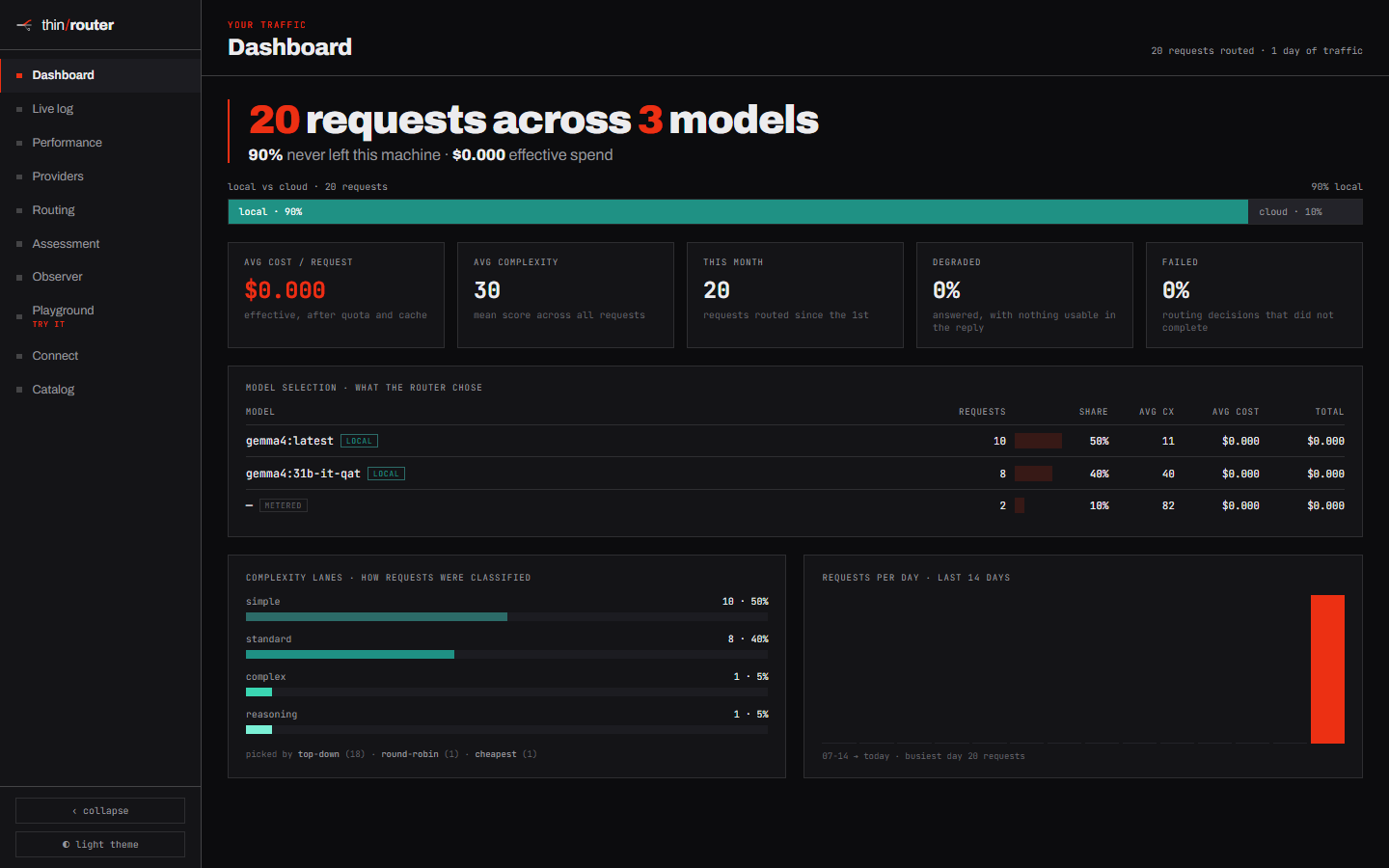
localhost:4100 · dashboard
ThinRouter dashboard — local vs cloud split, effective spend, and how requests were classified into lanes
The wrong number

Most gateways optimize cost per token. That's the wrong number.

The number that matters is cost per successful task. A model that's 5× cheaper per token but fails half the time is more expensive. And two costs that every other router ignores quietly dominate the bill:

2.5×
what switching to a “5× cheaper” model can actually cost, once the invalidated prompt-cache write is priced in.
9/15
of the most-used model configurations are Pareto-dominated — something else is both better and cheaper.
$0.00
what a subscription reports per call — so routers over-prefer it and silently burn a finite quota.
What makes it different

Four things no other router models.

01

Difficulty, not task-type

Every request is scored before routing, on 23 explainable dimensions. Trivial work and hard work land on different models — automatically, with the reasoning shown.

02

Quota-aware cost

A flat-fee subscription isn't free — it's a depleting budget. ThinRouter shadow-prices the quota each call consumes, rising as headroom runs out, so premium lanes are reserved for work that needs them.

03

Cache-aware switching

Switching models invalidates the prompt cache, and the miss can cost more than the cheaper model saves. ThinRouter stays on the warm model unless a switch genuinely pays for itself.

04

Local Minded

A local model is free, private, and unmetered. It's the default floor — the router has to justify sending your prompt off the machine, and every escalation is logged with a reason.

How it works

Routing is driven by complexity.

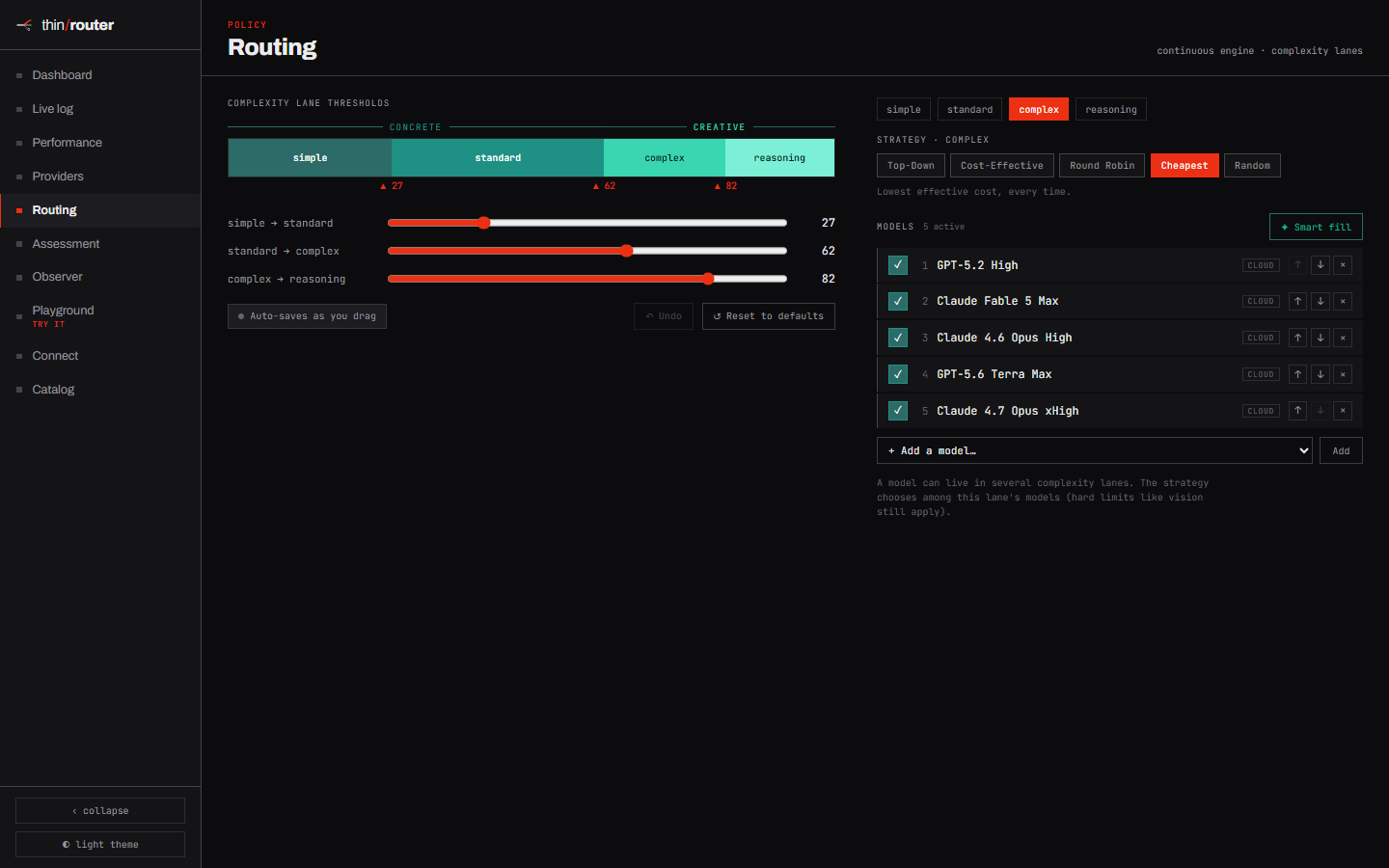
Every request is scored on a single 0–100 complexity axis before a model is chosen — then it clears three stages, in order. Hard requirements and graded judgements are different things, so they never share a mechanism.

01 · binary

Hard constraints

Vision, tool-calling, context window, offline-only. Models that can't satisfy the request are filtered out first.

02 · graded

Competence

Keep the models whose benchmarked ceiling clears the request, per capability. Dominated lanes are dropped.

03 · minimize

Cost

Quota shadow-price + cache-switch penalty. The cheapest eligible lane wins — and local is $0.

Nothing is a black box

Every decision is legible.

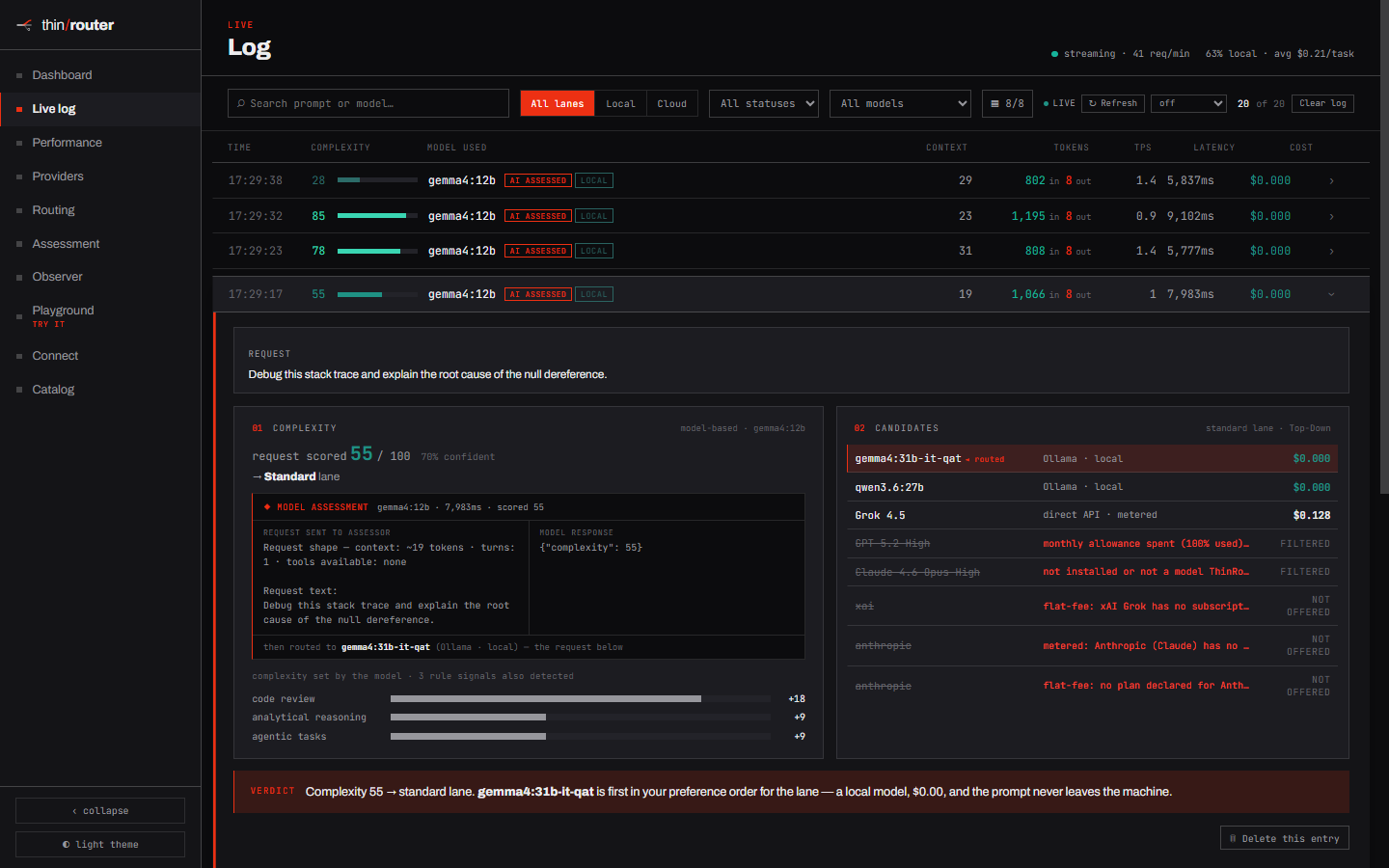
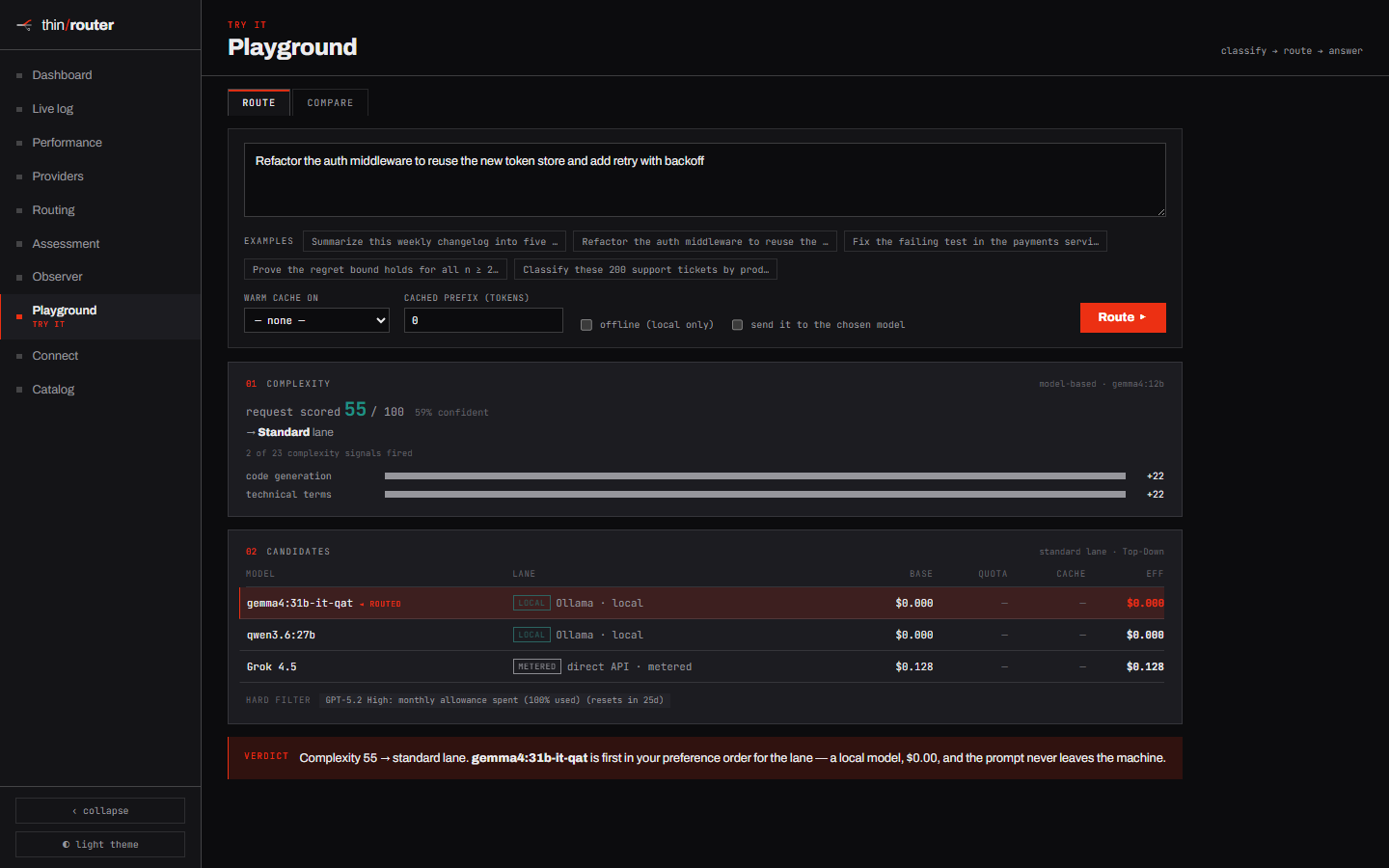
Expand any request to see exactly why a lane won: the difficulty score and which dimensions fired, every eligible model in the lane, what was filtered out and why, and the quota- and cache-adjusted cost of each candidate — ending in a plain-English verdict.

The point of a router isn't just to be cheaper — it's to be cheaper for reasons you can inspect and tune.

localhost:4100 · live log
A request expanded into its full decision trace: complexity score, signals fired, candidate models with cost, filtered models with reasons, and the verdict
Yours, on your machine

Get real value from your own GPU.

ThinRouter runs as a single native process — so it talks to your local Ollama and GPU directly, with no container required — though Docker is there as an option if you prefer one. The hardware you already paid for becomes the default lane: every request that a local model can handle is answered right there, fast, private, and $0 per call. Cloud models only enter when the work genuinely needs them.

  • Free, private, unmetered local LLM lanes via Ollama
  • Nothing leaves the machine unless the router says it must
  • One Node process, one SQLite file — no database to run
  • Bind to localhost by default; expose to the LAN only if you choose
Drop-in OpenAI API

Point any client at it.

# OpenCode, Cursor, the OpenAI SDK — anything
OPENAI_BASE_URL=http://localhost:4100/v1
model: "auto"

# streaming completions, routed and served
curl -N localhost:4100/v1/chat/completions \
  -d '{"model":"auto","stream":true,
       "messages":[{"role":"user",
        "content":"summarize this changelog…"}]}'

Model "auto" engages the router. Trivial work streams back from a local model; hard work escalates. Name a concrete model to bypass routing entirely.

First-class connections for OpenCode and Claude Code: one command each — npm run connect or npm run connect -- claude-code — and every request routes through ThinRouter.

See it think

The routing decision, made visible.

The feature set

What a router should actually do.

The full ThinRouter feature set — most gateways offer only a slice of it.

ThinRouter
Routes oncost per successful task
Subscription quotamodeled as a depleting budget
Prompt-cache switchingpenalized when it doesn't pay
Local modelsthe default floor
Routing decisionsfully legible & tunable
Runsnatively on your machine (Docker optional)
LicensePolyForm Noncommercial — free for personal use

Worth asking any other gateway how many of these it can check.

Two minutes

Clone it. Run it.

No database and no cloud account required, and Docker is optional. npm start builds on first run, starts on localhost, and opens your browser.

  • Node 22.5+ (built-in SQLite — no native modules)
  • Optional: Ollama for free local models
  • Optional: run it in Docker if you prefer a container
  • Everything works offline; add cloud keys when you want them
FAQ

Smart AI routing, answered.

Common questions about complexity-based routing, local LLMs, and self-hosting ThinRouter.

What is smart AI routing?

Smart AI routing means scoring every request by difficulty first, then automatically sending it to the cheapest model that can actually do the job. Instead of pinning all traffic to one model, ThinRouter reads each prompt, rates its complexity on a 0–100 scale, and routes accordingly — trivial work stays cheap and local, hard work escalates.

How does ThinRouter's AI model routing work?

AI model routing runs in three stages, in order: hard constraints (vision, tool-calling, context window), competence (which models clear the difficulty bar for that capability), and cost (quota- and cache-adjusted price). The cheapest eligible model wins — and a local LLM counts as $0. Every decision is logged with a reason you can inspect and tune.

Can ThinRouter run a local LLM on my own GPU?

Yes. ThinRouter is local-first: it runs as a single native process and connects directly to Ollama and your GPU, so any request a local LLM can handle is answered for free, privately, and unmetered. Cloud models are only engaged when the work genuinely needs them, and every escalation off your machine is logged.

Is ThinRouter self-hosted, and is it free to use?

Yes. ThinRouter is fully self-hosted and source-available — one Node process and one SQLite file, with no database to run and Docker entirely optional. It's free for personal and other noncommercial use under the PolyForm Noncommercial license; commercial or enterprise use needs a separate license. You host it on your own machine and it answers only to you: no middleman, no per-call fee, and no telemetry.

Is ThinRouter OpenAI-compatible?

Yes. ThinRouter exposes a drop-in OpenAI-compatible endpoint, so any client works — OpenCode, Cursor, or the OpenAI SDK. Point it at http://localhost:4100/v1 and set the model to "auto" to engage smart AI routing; name a concrete model to bypass routing.

Source-available · Free for personal use

Your requests, your providers, your data.

ThinRouter runs on your machine and answers to you. No middleman, no per-call fee, no telemetry.